
01
Brief mapped
Requirements, sections, and word targets become a visible project plan.
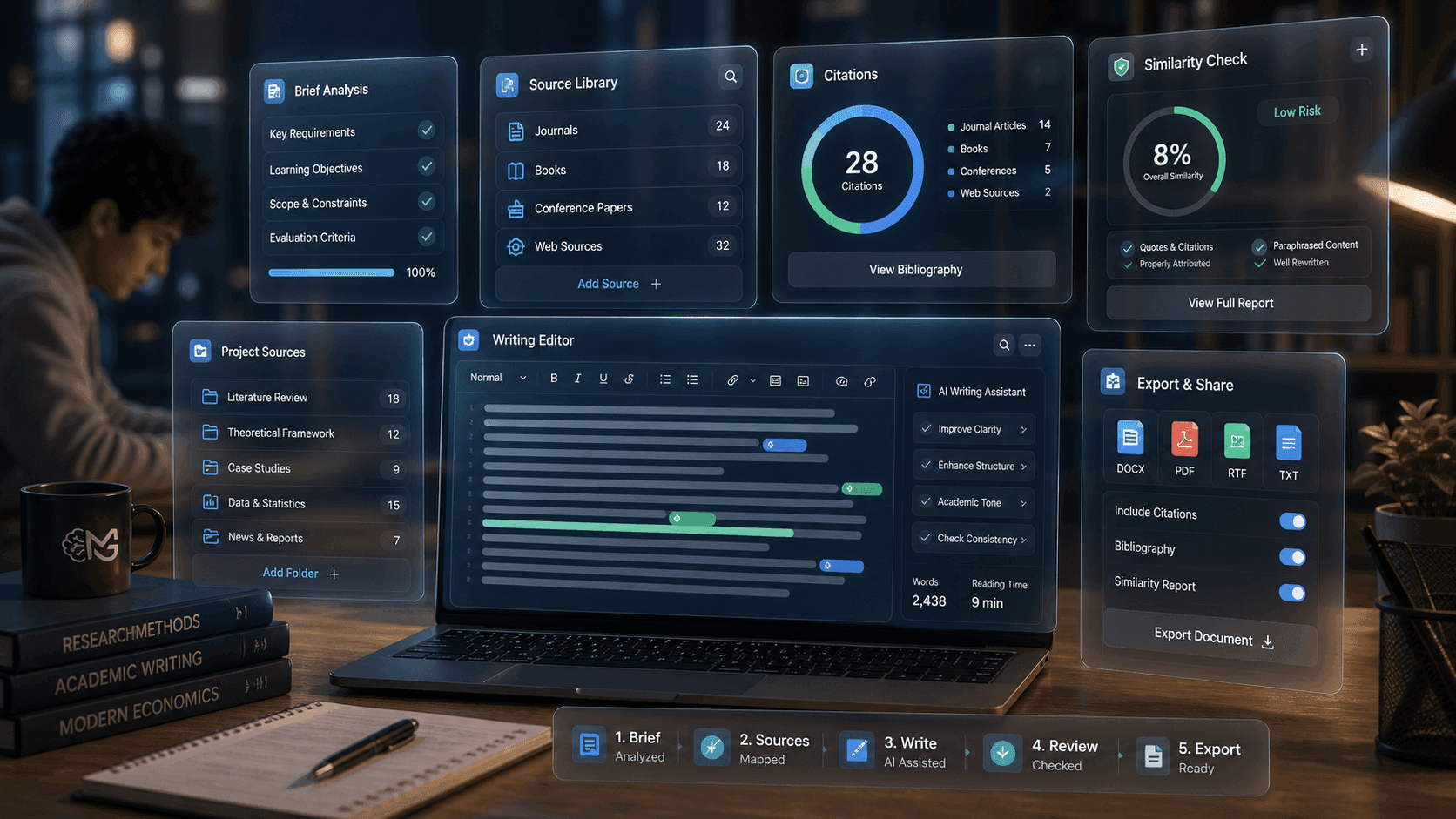

AI-powered academic workspace
Mindgrads connects assignment briefs, sources, citations, writing support, similarity preview, and export in one calm workspace built for serious students.
6-step
academic workflow
Source-first
writing context
Private
student workspace
Related outputs
Requirements, sections, and word targets become a visible project plan.
Readings, references, and citation context stay attached to the workspace.
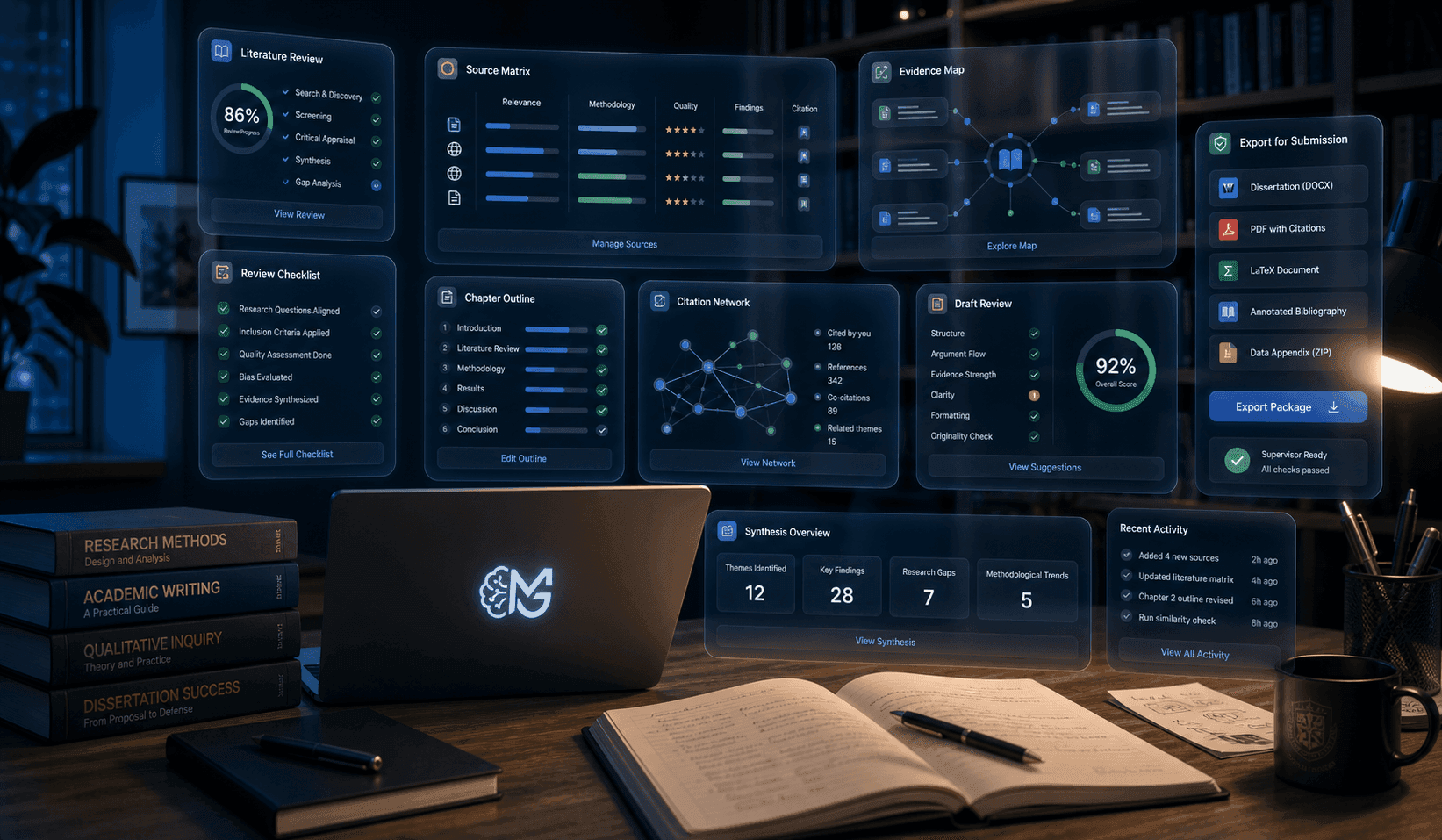
Outline, write, review, similarity preview, and export remain in sequence.
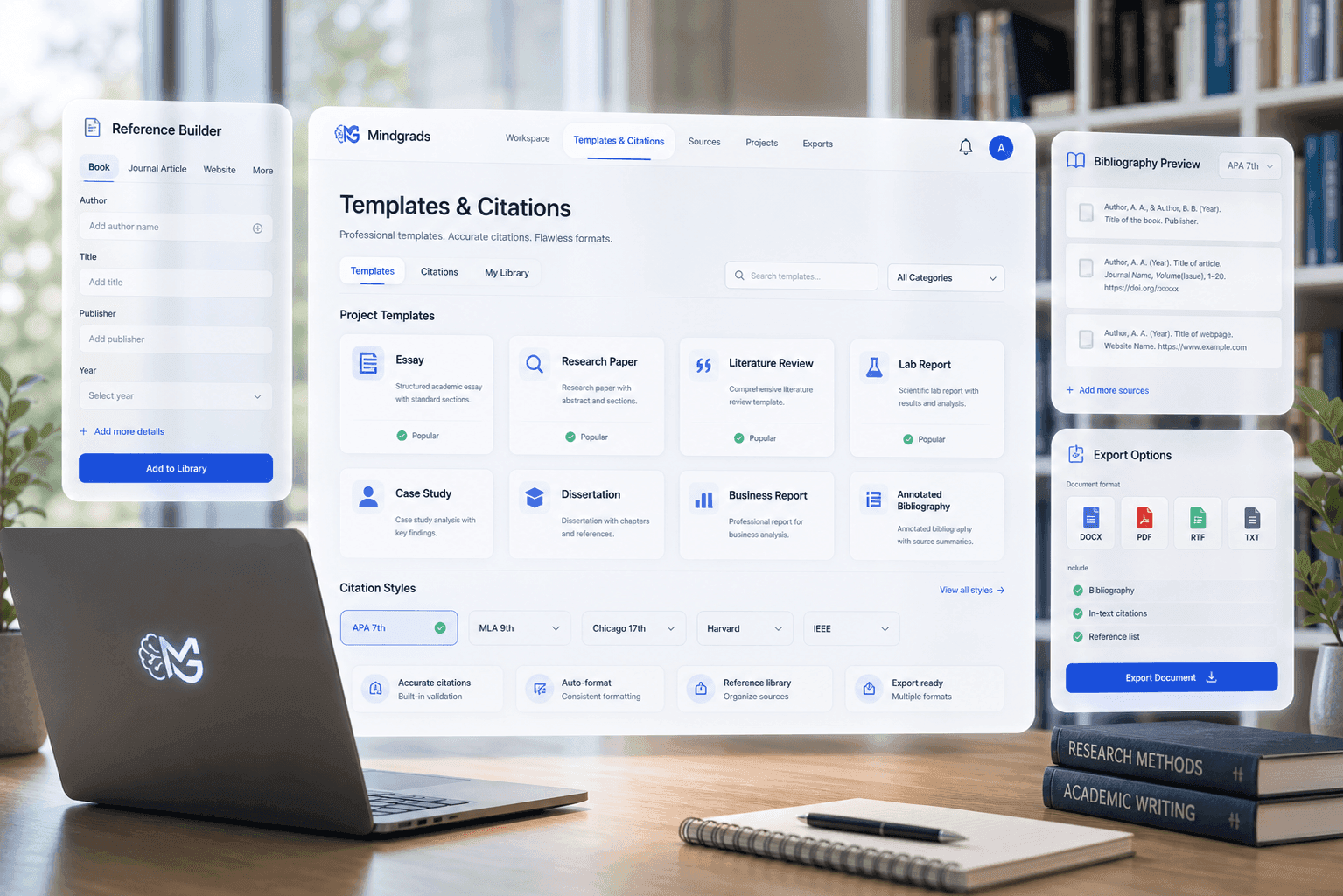
Templates, citations, and document settings are prepared before download.
Why Mindgrads
Brief mapping, scoped sources, visible costs, and private workspaces—so every step stays tied to your coursework.
6-step
Brief-to-export academic workflow
Source-first
Drafting scoped to your project library
Visible
Credit cost shown before assisted actions run
Private
Protected document workspaces
Structured academic momentum
Mindgrads keeps source scope, costs, citation context, similarity preview, and export steps visible so students can move with clarity.
Features
Mindgrads combines brief analysis, source control, drafting support, citations, uploaded-source similarity preview, and exports in one repeatable workspace.
Tap a module on the right to highlight how it connects to your brief-to-export flow.
For students
The workspace keeps the brief, evidence, section plan, writing actions, citations, and export steps connected.
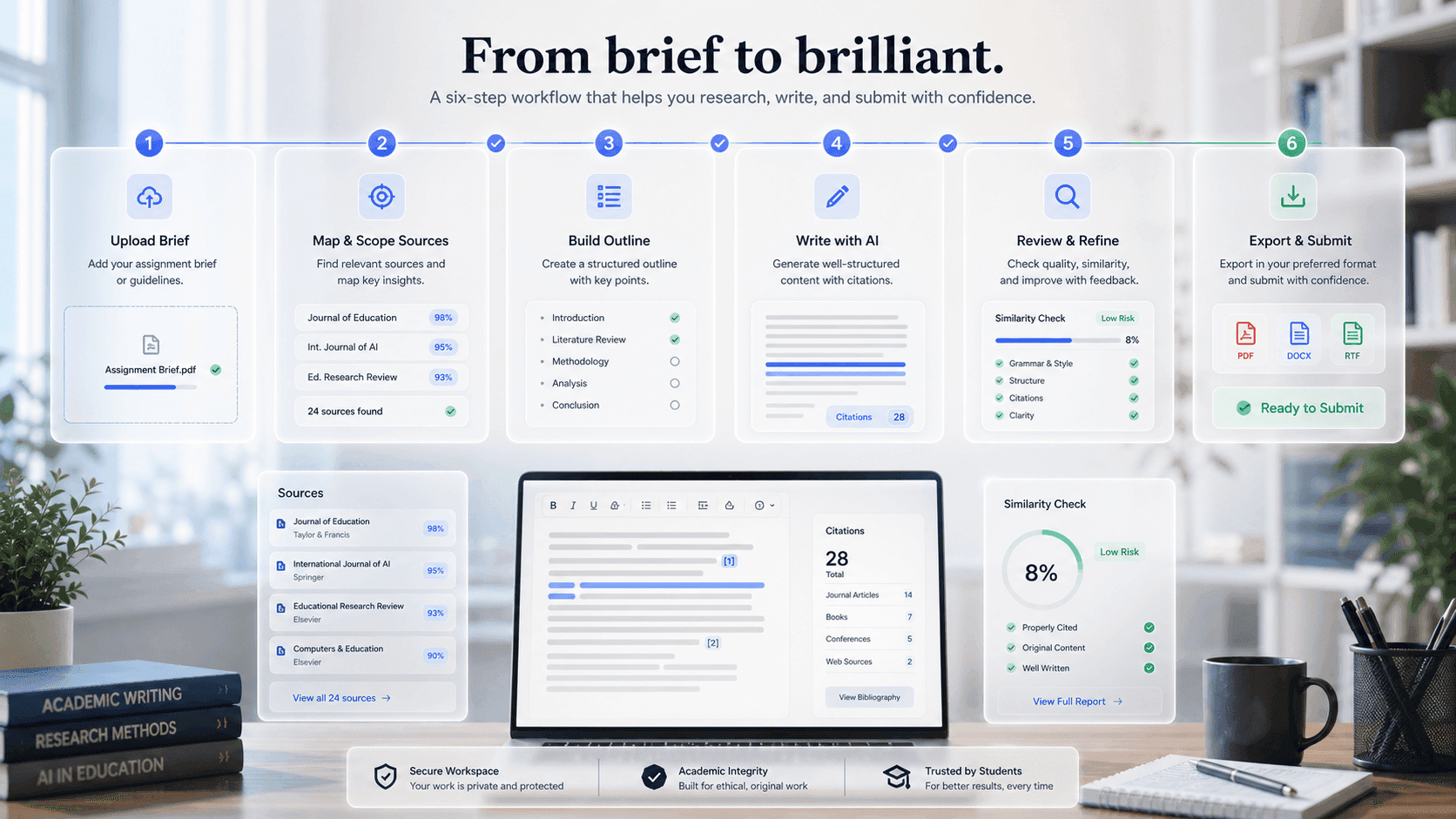
Add the assignment brief, rubric, deadline, and marking criteria so requirements stay attached to the workspace.
Upload readings, lecture notes, PDFs, and research URLs into a private project library.
Mindgrads maps requirements, tasks, and an academic structure from your brief before drafting begins.
Review section order, word targets, and milestones. Adjust the outline before you draft.
Work section by section with source-grounded tools on selected text—always editable.
Manage citations, run uploaded-source similarity preview, and export DOCX or PDF for your final review.
Mindgrads is designed around academic workflow control, not one-off prompt output.
| Capability | Mindgrads | Generic chat tools |
|---|---|---|
| Brief understanding | Rubrics, deadlines, criteria, and structure mapped before drafting | Manual prompting and repeated context setup |
| Source control | Project documents and links stay attached to the workspace | Sources can be lost between prompts |
| Academic workflow | Outline, draft, cite, check, and export in one place | Separate tools for writing, citations, and exports |
| Similarity preview | Uploaded-source comparison with clear limits | Limited |
| Credit visibility | Costs shown before assisted actions run | Usage often hidden behind chat sessions |
Mindgrads
Rubrics, deadlines, criteria, and structure mapped before draftingGeneric chat
Manual prompting and repeated context setupMindgrads
Project documents and links stay attached to the workspaceGeneric chat
Sources can be lost between promptsMindgrads
Outline, draft, cite, check, and export in one placeGeneric chat
Separate tools for writing, citations, and exportsMindgrads
Uploaded-source comparison with clear limitsGeneric chat
LimitedMindgrads
Costs shown before assisted actions runGeneric chat
Usage often hidden behind chat sessionsWhy Mindgrads
Mindgrads keeps the workflow visible: source scope, cost visibility, citation context, uploaded-source similarity preview, and review-ready export.
Every step starts from your brief and project materials.
Costs, source scope, and next actions are visible before you run.
Move from outline to DOCX/PDF with structure intact.
Workflow examples
Explore representative paths for reports, dissertations, and weekly assignments—from the first brief to a review-ready export.
Product illustrations, not customer testimonials
Choose a workflow
Scenario 01 / 03
Brief to structure
Turn a confusing brief into requirements, source tasks, and a structure you can defend before drafting begins.
Representative product workflow
Designed around your work
The workflow adapts to the scale of the project without changing how students stay in control.
Analyse briefs, collect reading notes, build section plans, and draft with citation context beside you.
Keep data sources, evidence maps, figures, and report sections moving through one controlled workflow.
Plan chapters, reuse sources, manage references, and keep long-form work structured across milestones.
Pricing
Plans unlock workspace depth and assisted writing capacity. Checkout on the pricing page confirms the live amount for your region.
1 complete AI build a month at standard length, using your 50 monthly credits. Documents up to 4,000 words, and your credits fund one at that full length. View-only workspace, surface research, watermarked PDF preview/export, and watermarked basic charts and figures.
$0
No card needed
Around 5 complete AI builds a month at standard length, using your 250 monthly credits. Documents up to 20,000 words, and your credits fund one at that full length. Deep research, PDF and DOCX export, and limited charts and figures.
$18.99
Billed monthly
Around 11 complete AI builds a month at standard length, using your 500 monthly credits. Documents up to 56,000 words, and your credits fund one at that full length. Ultra-deep research, dissertation and thesis mode, advanced visuals, and priority queue. Top up with extra credits any time.
$36.99
Billed monthly
FAQ
Mindgrads is an academic workspace for students. You upload your brief and sources, analyse the requirements, build and approve an outline, draft section by section with source context, manage citations, review similarity against your own uploads, and export — all in one connected workflow.
No. The workflow starts from your brief and your sources, and assisted actions are scoped to your project — not open-web content generation. You review and edit every section, so the work stays yours.
Students working at Sixth Form / College, Undergraduate, and Masters level. The workspace adapts its structure and academic expectations to the level you select during onboarding.
AI actions run on credits. The Free plan includes enough to try a full build, and each action shows its credit cost before you run it. Pro and Pro+ add a monthly credit allowance, and you can top up any time with credit packs. Failed generations are automatically refunded.
Free exports a watermarked PDF so you can try the full flow. Pro adds clean PDF and DOCX; Pro+ adds Markdown. Citations can be formatted in APA, MLA, Harvard, Chicago, or IEEE.
No. The similarity preview compares against your own uploaded project sources only — it is not a plagiarism service. Always run your institution’s designated originality checker and follow its AI-use rules before submitting.
Your projects and files are private to your account. Uploads are stored in private buckets and served through short-lived, signed links — other users cannot access them.
Yes. Structure, sections, citations, and the final document stay under your control in an editable workspace right up to export.
Yes. Subscriptions run until the end of the current billing period and are managed securely through Stripe — no charges after you cancel, and your current plan stays active until it ends.
Ready workspace
Mindgrads keeps planning, source context, writing support, review, and export in one visible path.